In this post, I will be designing two self-portraits using Illustrator in two different styles. I used the same photograph so you see how the vastness of style affects the feel of the two pieces.
Realistic Portraiture
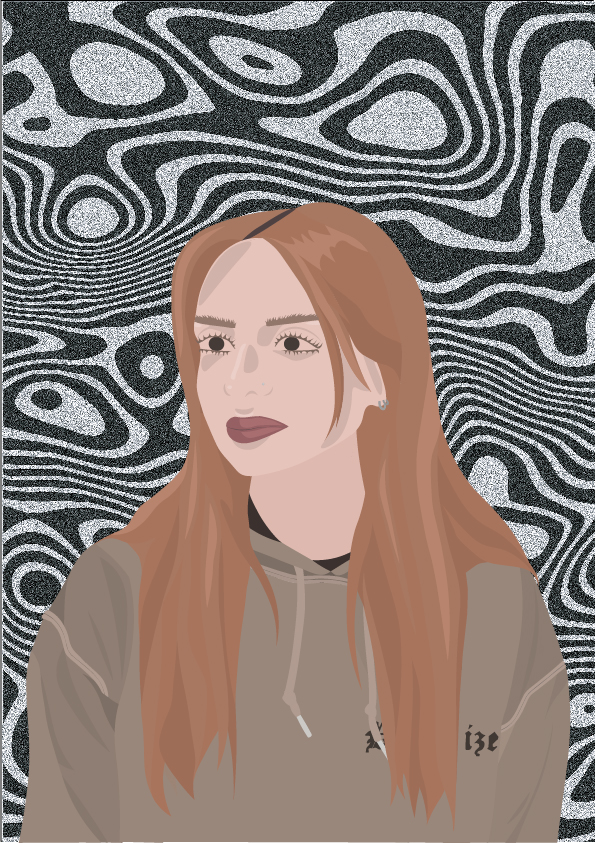
In this self-portrait piece, I focused on a realistic study of myself.
I layered many different shapes, aiming to create depth to the canvas. Adding to this idea, I fabricated highlights and shadows to the clothing, face and hair, having the light coming from above. Building the face using these shades and highlights to design a soft and subtle appearance. I used mainly warm tones for the portrait, generating a light-hearted style whilst sticking to realism.
The background differencates from the portrait style heavily. Using black and white brings some coldness to the canvas, keeping the spotlight on my depiction of myself. I fabricated a contrasting wavy pattern that I enjoy the style of, as it adds a sombre atmosphere to the overall layout. I introduced dense grain to the background to further emphasise the grunge look I was going for.
Abstract Portraiture
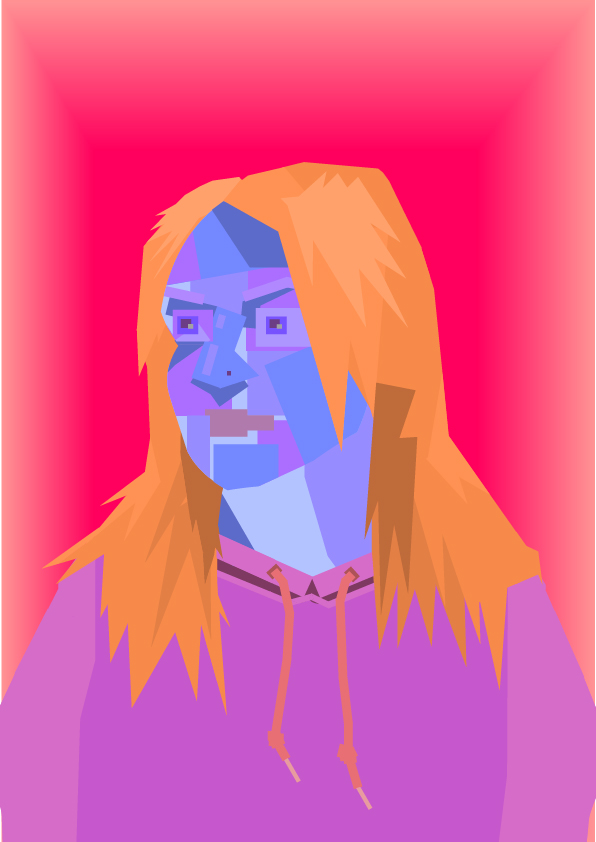
For this self-portrait, I went for an abstract approach and utilized the use of basic shapes like squares, rectangles and rectangles. This broke down the forms of my face, hair and body.
For the face, I applied different shades of blue and purple fabricating a cool feel. intentionally doing this to colourfully emphasise my natural paleness. However, I bring back the warmth to the face by adding shades of orange to the hair, which plays with the ginger tones of my hair. These two colours complement one another, keeping the focus on the face.
I added highlights and shadows again to fabricate that extra detail.
the use of the warm hues of the pinks in the clothing and red in the background, accentuates the overall colourful and playful design, Whilst keeping all the focus on the face of the portrait.